v1.63.0Released
Budget totals that add up
Your budget now counts every expense once: paying off a credit card no longer counts the same spending twice, refunds lower your spending everywhere, and categories you turned off stay out of the total. Forms show what is missing instead of greying out Save.
This release is mostly about trust in one number: what your budget says you spent. Mobile changes arrive with app version 1.63.0.
Budget
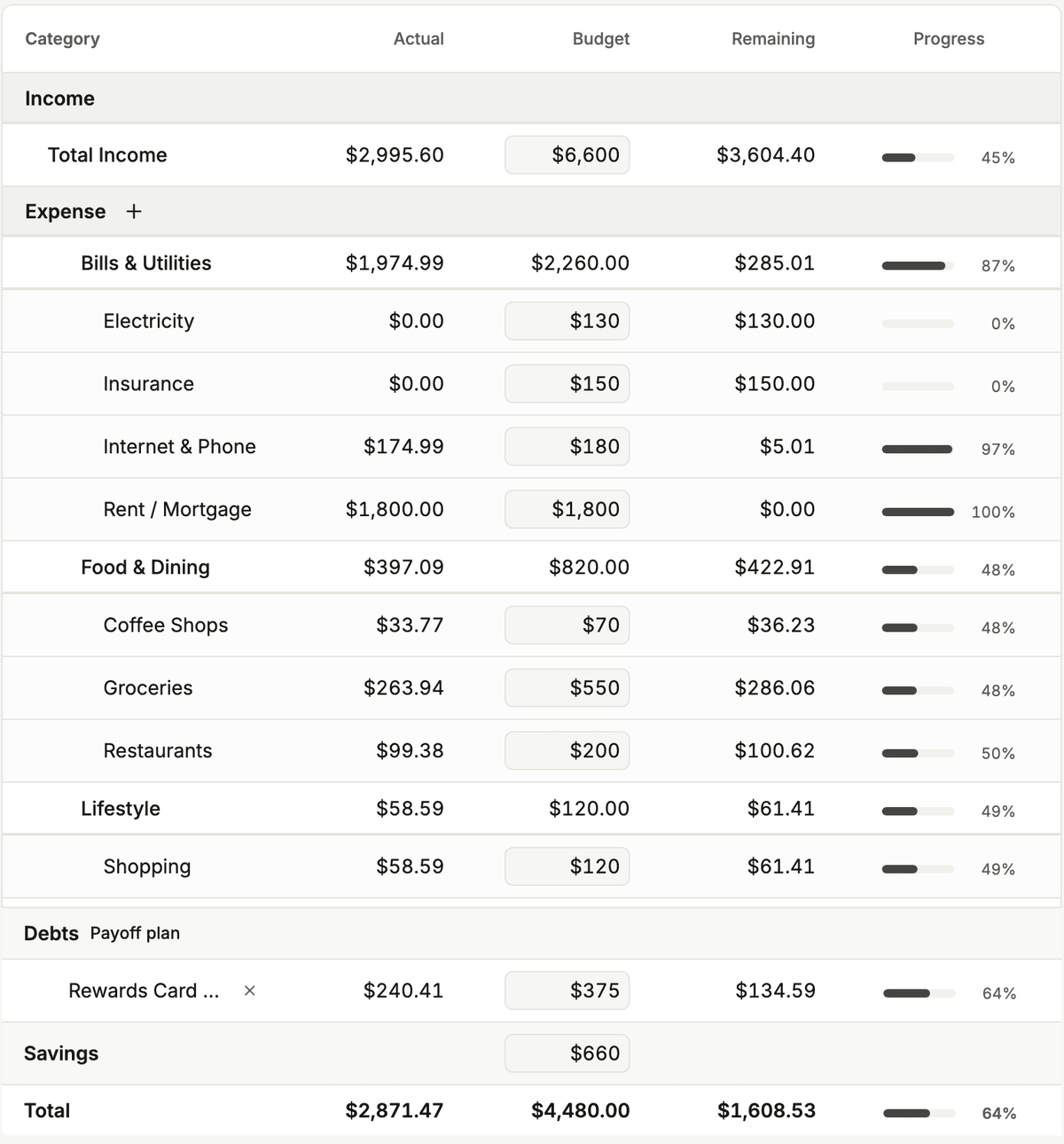
- Paying off a credit card no longer counts your spending twice. Each purchase counts once in its category, and a card on your Debts list shows only what you paid down beyond that month's charges.
- Actual now counts every expense, including categories you haven't budgeted, and refunds lower your spending everywhere, including the history chart and "vs last month".
- Categories you turned off for the month stay out of Actual and Total budget. They still show what they spent under Inactive.
- A hidden debt amount no longer inflates Total budget.
- Copying a month brings over that month's amounts and savings plan, and savings goals plan only what is left to save.
- A month holds one budget, even when you open it on several devices at once, and opening a month from before you started no longer creates an empty budget.
Forms
- Adding an account, a transaction, or feedback keeps Save enabled and shows a message under each field that needs attention, instead of a button that won't press.
Recurring
- The Recurring table shows each merchant's logo again, the same one you see when you open a charge.
- A bill that changed names, like a gym that switched how it bills you, stays one bill when its next charge runs late, instead of splitting into two.
Android
- The Android app is getting ready for Google Play: it has the Copia icon, and signing in brings you back to the app.