Copia vs Monarch, YNAB, and Rocket Money on duplicate transactions

One of the coolest features in Copia is the import system, because your budget does not have to wait on a bank feed. I use it all the time, whether that is a CSV on the free plan or a photo of a statement sitting in front of me. We built it so that if Plaid knocks you off, you can still keep the register close to current the same day if you want to be that granular, and so that when Chase stays connected those imported rows still match the live feed as long as the account, date, amount, and merchant line up.
That matching is One History. CSV, photo, typing, and bank sync are supposed to land on one row for one purchase instead of four ledgers you clean up later, and I think that is one of the most important things in Copia. It is the part I want people comparing a Mint alternative in 2026 to actually see.
Monarch Money, YNAB, Rocket Money, and Copilot Money will take your data, but they still treat overlapping imports and bank sync as cleanup, which means you get extra rows, extra accounts, a transfer wizard, or a note that says ignore it.
The problem is not more bank connections
Almost every budgeting app has Plaid now, and Monarch and Origin also offer MX or Finicity, so switching providers gets marketed as a feature. The unglamorous part is what happens to the ledger when you already have history from a spreadsheet or a photo, the bank feed later catches up, or the same checking account shows up again.
Banks knock people off, and that is true for every budgeting app that uses an aggregator, including us. We cannot make Chase stop doing that. What we can do is let you keep going with a file or a photo, and treat the purchase as the same row when the data lines up, whether the connection never dropped or it came back a week later.
If the app ties your history to whichever connection created the row, a reconnect, a CSV, and a photo each become a separate history. That is how your coffee category and leftover-to-budget number end up wrong, and how you stop trusting the app.
I have used these products, and Dillon and I still read their help centers when we ship. This is not a 2023 Mint post. The sources below are current as of September 9, 2026.

What most apps do with the same purchase. Three sources. Three rows. The budget is now lying.
What Copia One History does
You can start however you need to start, whether that is typing a row, importing a CSV on the free plan, photographing a receipt or a statement on the paid plan, or connecting the bank when you are ready.
When a later source shows up with that same purchase, Copia works to keep one row, so your category, your notes, and your account stay where you put them and the budget keeps showing what you actually spent.

What Copia is built to do. Three sources. One purchase. One row.
We will not claim it never misses. Two identical coffees on the same day can still look like one purchase, and a photo that names the store differently than the bank can miss a match, because matching is a product decision rather than a magic trick. The point is the app is trying to recognize the purchase instead of piling up whatever the last import created.
You should not have to think about the plumbing. You should feel it when you import, then connect, then reconnect, and your register does not explode.
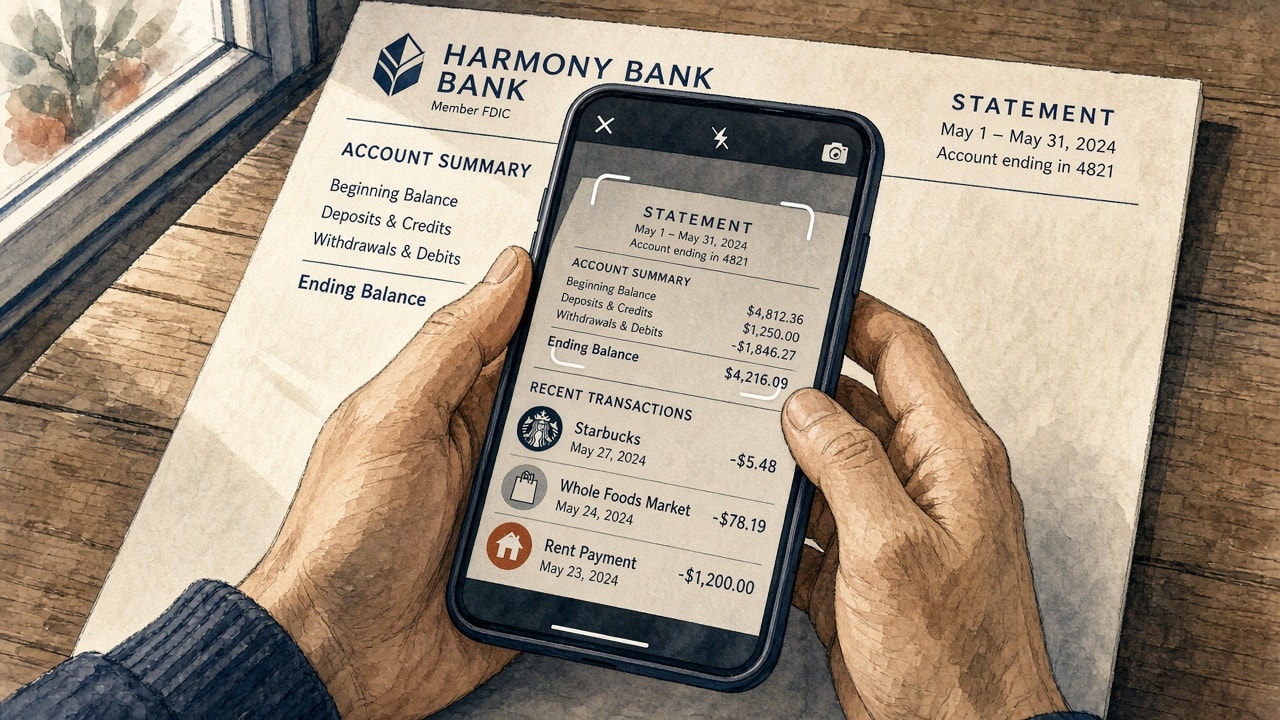
Photograph a statement when that is what you have. Bank sync later should not clone the rows.
Monarch Money still asks you to pick a cleanup mode
Monarch is the app a lot of Mint refugees landed on. It is a strong all-in-one hub, it is also $14.99 a month, and overlapping data is still a workflow.
Monarch's current CSV import help gives you three overlap choices:
- Prioritize CSV deletes every existing transaction in the file's date range and replaces them. Monarch says existing transactions in Monarch may be deleted.
- Prioritize Monarch keeps what is already there and only fills earlier missing rows.
- Import all imports everything. Monarch says this may result in duplicate transactions.
There is a fourth option if the CSV was exported from Monarch and still has Monarch's own transaction IDs, but that is bulk-editing Monarch data. It is not treating a Plaid row and a bank CSV as the same coffee.
When you change aggregators, Monarch creates duplicate accounts. Their transfer tool moves history from the old account to the new one, which is a real feature, and people still need it. In March 2026, users on r/MonarchMoney were still asking how to add a card without duplicating everything, and how switching from Finicity to Plaid would play out. The answer was still that you will get two copies of each account, then use the merge tool.
If you are looking at Copia vs Monarch Money, this is the gap I care about. Monarch has more investing and household features than we do today, and we are honest about that, but they still do not keep one history across a CSV, a photo, and a bank feed.
YNAB will not match two imported transactions to each other
YNAB is the gold standard for zero-based budgeting, and we respect that. Direct Import and file import are both there, but matching is not what people think it is.
YNAB's approving and matching guide, updated August 18, 2026, still says matching happens when you enter a transaction yourself and the same one later imports. Amounts have to line up, dates can be within ten days, and two imported rows do not get that treatment.
The YNAB API docs say it in one sentence. Transactions can only be matched when one of them is imported and the other is entered yourself, so two imported transactions will not match. If you import through the API, YNAB treats those rows as imported, which means they also will not match a later bank import.
When you switch connections, YNAB's own guide tells you to reconcile first because duplicates can come through, then reject or delete the extras.
So in Copia vs YNAB, YNAB still wins on the teaching and the register habits a lot of people already have. Copia wins when you imported history, then connected the bank, and you do not want to approve a second copy of January.
Rocket Money does not import your CSV, and duplicates get ignored
Rocket Money is in every Mint alternative roundup because of bill negotiation, but budgeting is not the center of that product.
Their duplicate transactions article (still the live help page) lists PayPal plus the funding bank, linking the same account twice, or a problem with the linking provider. The workaround is to unlink, or to ignore the extra rows so they drop out of the budget.
There is no current import path to merge a bank file back in. Exporting transactions, dated April 9, 2026, is an email download.
On r/RocketMoneyOfficial, support told people the duplicates were a Plaid issue with some cards, to ignore them, and that there was no ETA. That is hoping the feed calms down rather than keeping one history.
Copilot Money, Simplifi, and the rest
Copilot Money. Their April 14, 2026 help says they are not able to support importing transactions via CSV or XLS at this time. They have a Mint importer, and they can merge a manual Apple Card into Apple Wallet, but reissued cards and aggregator account churn still create extra accounts. Copilot's duplicate-account help, updated this month, says do not edit the duplicates. Contact support and they will merge them.
Quicken Simplifi. Their duplicate help, updated in early September 2026, says that if one row is manual and one came from the bank, you can merge them on the web app. If both came from the bank, you delete one, and merge is not on mobile.
Lunch Money. CSV and PDF import can skip duplicates when date, payee, and amount match exactly, but that is a filter at import time, not a history that stays one row after the bank feed moves.
Tiller. Their CSV importer help, dated July 24, 2026, says it in the open. "We do not deduplicate data at this time." You are told not to overlap dates, and if you imported during an outage you clean up by Import Tag when Plaid or Yodlee comes back.
Origin. Why duplicate transactions occur (updated July 22, 2025, still the live article) warns against connecting the same account through more than one aggregator. Users on r/OriginFinancial reported CSV imports creating new manual accounts and duplicating what the connection already had.
I am not going to pretend nobody else has an importer. Plenty of apps can swallow a spreadsheet. The question is whether the spreadsheet and the bank feed are allowed to be the same life.
| App | CSV or photo into a synced account | What you do when it overlaps |
|---|---|---|
| Copia | CSV on the free plan. Photo and PDF on the paid plan. Bank sync. | Copia works to keep one row when the data lines up. |
| Monarch Money | CSV. No photo-to-ledger. | Replace a date range, skip, or accept duplicates. Switch feeds, then use the transfer tool. |
| YNAB | File import plus Direct Import. | Match only if you typed one row and imported the other. Otherwise reject or delete. |
| Rocket Money | Export only. | Unlink or ignore. |
| Copilot Money | No general CSV. Mint importer only. | Email support to merge accounts. |
| Simplifi | CSV, one account at a time. | Merge one manual row with one downloaded row on web. |
| Tiller | CSV into Plaid or Yodlee accounts. | Officially no deduplication. Avoid overlapping dates. |
Full side-by-side is on Compare, and pricing context is on Pricing. Copia is $4.99/month in beta, with a real free manual plan, because that is what a two-person team can charge while we build the ledger we actually trust.
Why this should put Copia on the map
The expensive apps have had years to make one purchase, one row the default, and what they shipped instead is cleanup, whether that is date-range replace, ignore, contact support, or a warning not to overlap your CSV with the feed.
That is a strange place for the category to still be in 2026. People will keep having a PDF in their camera roll, and they will keep leaving Mint, Empower, or a spreadsheet expecting the new app to hold both the old file and the new connection. Aggregators will keep dropping too, and every budgeting app has to live with that. The product question is whether your budget still holds when the data comes in through more than one door.
Copia is small, so we do not have Monarch's net worth charts or YNAB's decades of education, but we do have a budget that is supposed to survive messy input. If you are deciding between Copia, Monarch Money, YNAB, Rocket Money, Copilot, or Simplifi, try this first:
- Import a month from a CSV or a statement photo.
- Categorize a few rows.
- Connect the same account.
- See whether January shows up twice.
If January stays one history, you can actually budget. If it shows up twice, you are doing data entry for the app instead of using it.
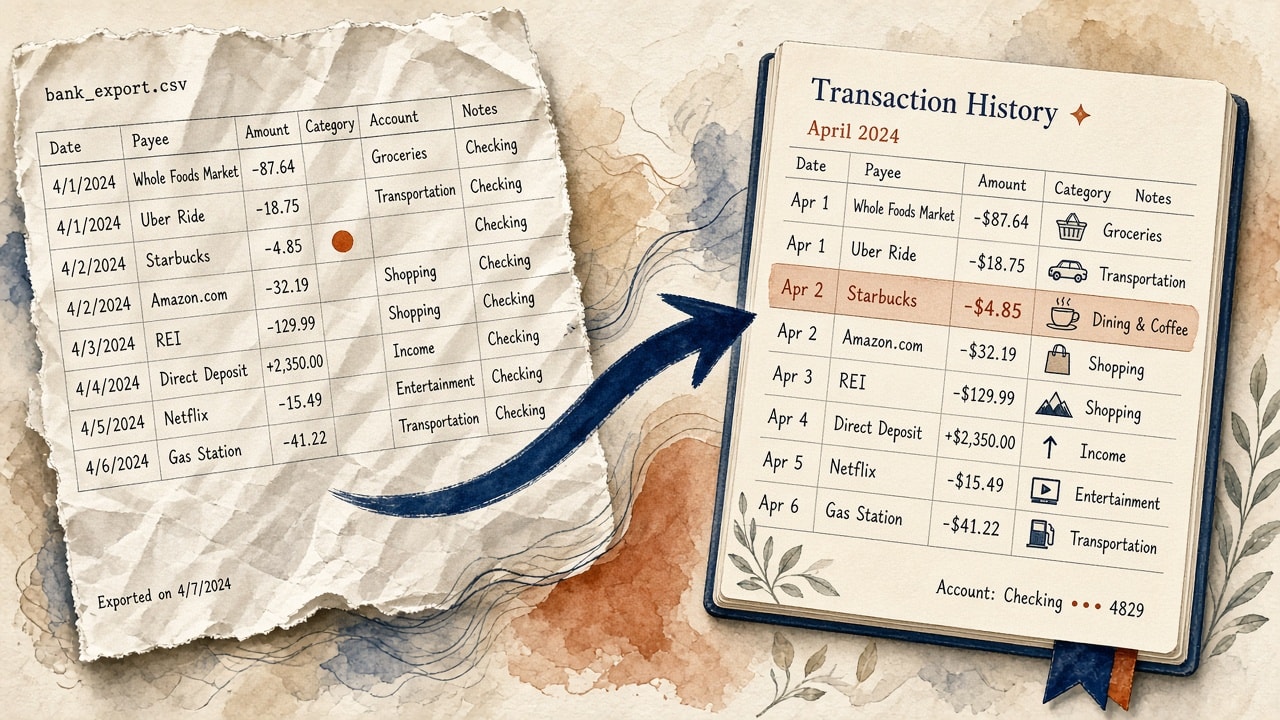
CSV import is on the free plan. You can leave another app, or fill a gap, without waiting on a perfect bank connection.
I started Copia because I could not find an affordable budgeting app I actually wanted to use after Mint shut down. One History is the part of that promise that is easy to skip in a feature grid and impossible to skip once your register is a mess, so we want it out in the open.
If you try it and a match misses, tell us in Discord. Dillon and I read that, we use this product, and a duplicate in our own budget is the bug report.
Questions people search
Do Monarch Money, YNAB, and Rocket Money still create duplicate transactions in 2026? Yes. Their current help docs still treat overlapping bank sync, CSV imports, and reconnections as a cleanup job. Monarch offers date-range replace or import-all. YNAB will not match two imported transactions to each other. Rocket Money tells you to unlink an account or ignore the extra rows.
What is Copia One History? One History is Copia treating the same purchase as one row whether it arrived from bank sync, a CSV, a photo of a statement, or a row you typed by hand. When a later source shows up with that same purchase, Copia works to keep one history instead of stacking copies.
Can I import a CSV into Copia without duplicating Plaid transactions? Yes. CSV import is on the free plan, and photo import is on the paid plan. When the bank later syncs the same purchases, Copia works to match them to what you already imported as long as the account, date, amount, and merchant line up.
Does Copilot Money support CSV import? Not as of April 14, 2026. Copilot's help center says they are not able to support importing transactions via CSV or XLS. Account duplicates from a reconnect are merged by support, not by the app treating the purchase as one row.
Sources
Help pages and user threads cited above, all checked for this post on September 9, 2026.
- Monarch Money, Importing Transaction History Manually
- Monarch Money, Transfer Balance and/or Transaction History
- r/MonarchMoney, March 8, 2026
- YNAB, Approving and Matching Transactions (updated August 18, 2026)
- YNAB, The YNAB API
- YNAB, Direct Import Connection Updates
- Rocket Money, Troubleshooting duplicate transactions
- Rocket Money, Exporting transactions (April 9, 2026)
- r/RocketMoneyOfficial, duplicate transactions
- Copilot Money, Investment Account Limitations (April 14, 2026)
- Copilot Money, Troubleshooting Account Duplicates
- Quicken Simplifi, How to Resolve Duplicate Transactions
- Lunch Money, CSV / PDF Importing
- Tiller, Automatically import bank CSVs (July 24, 2026)
- Origin, Why duplicate transactions occur