Help centerTransactions
Transaction rules
Tell Copia how to categorize and tag transactions that match a pattern, and it does it every time new ones arrive.
A rule reads as a sentence: when a transaction matches these conditions, do these things. We built rules because we were fixing the same merchants every month. Now a rule does it the moment a transaction arrives from the bank, an import, or a receipt.
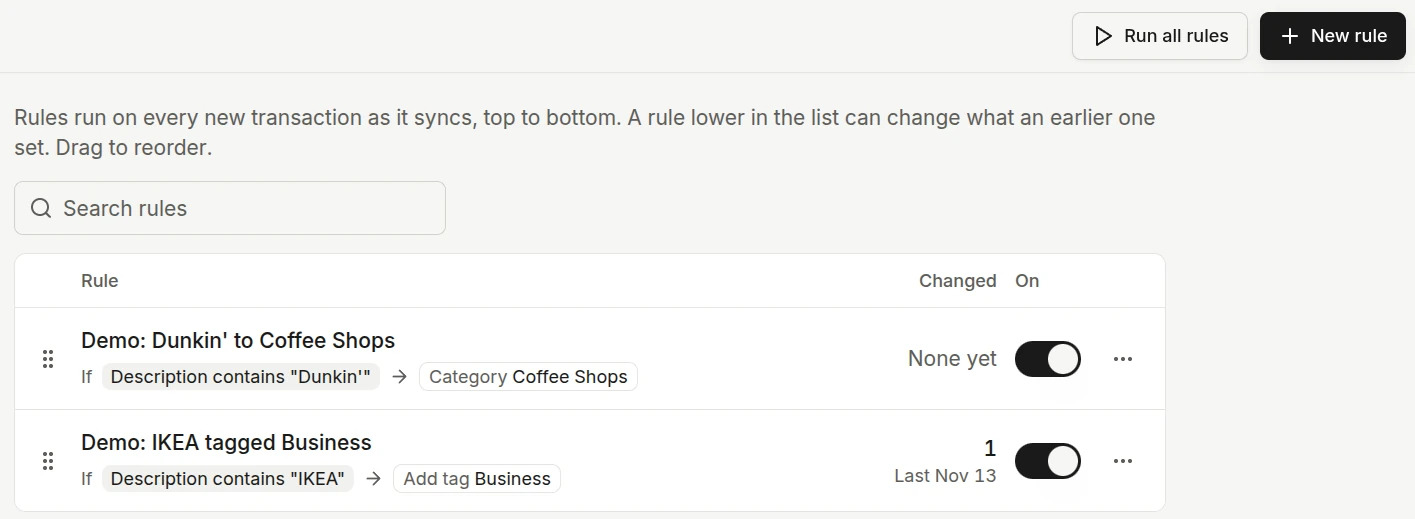
What a rule can do
- Conditions use the same filters as the Transactions page, such as description, amount, account, or merchant. Only fields Copia can check when a transaction arrives are available.
- Actions set the category, or add and remove tags.
Create a rule
You can start a rule from four places, and they all open the same editor.
- Settings → Rules → New rule.
- The toast after changing a category. Create rule fills in the description and the new category.
- The filter bar. With filters set on Transactions, the rule icon next to Clear turns those filters into conditions. Filters a rule cannot check, such as tags, are left out with a note.
- A transaction’s details, from its Rules section.
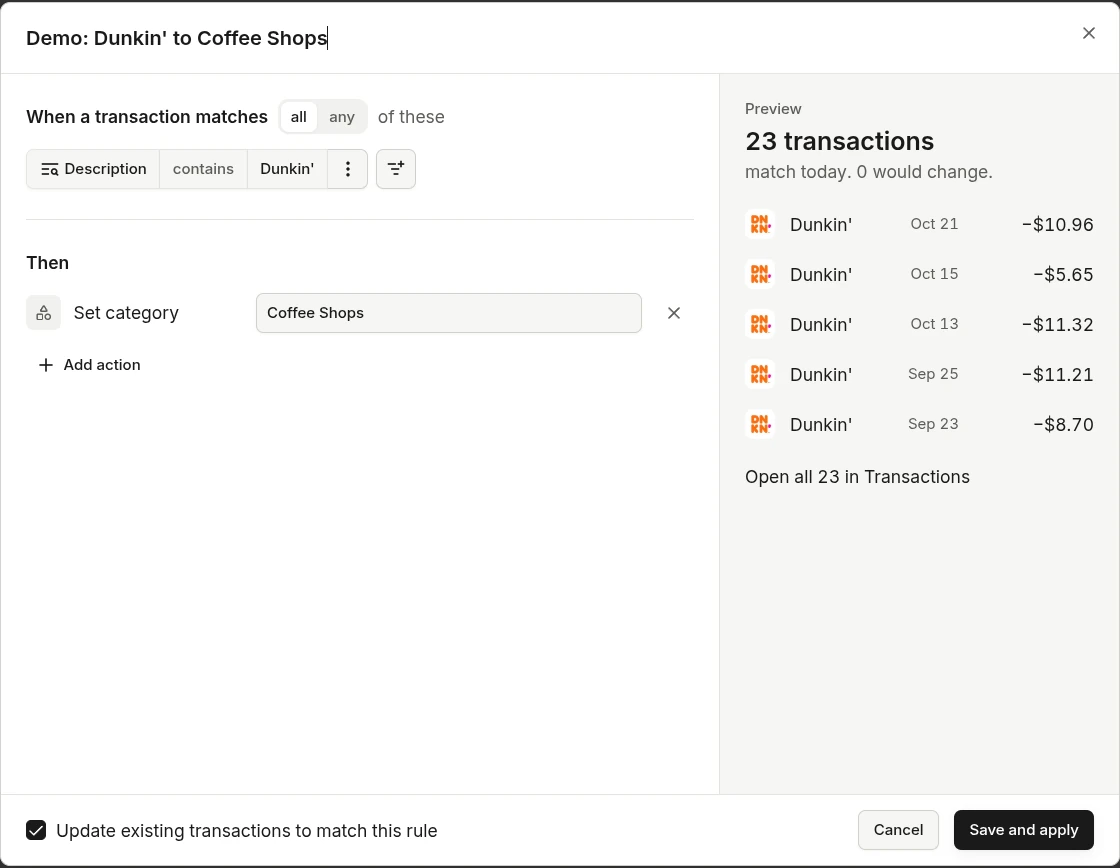
While you edit, the editor lists the transactions the rule matches, so you can see what it will catch before saving. Check Update existing transactions to match this rule to apply it to past transactions as well as new ones.
Order matters
Rules run in list order, top to bottom, and the lowest rule wins when two rules change the same thing on one transaction. Drag rules to reorder them. To make an exception, put the specific rule below the broad one. For example, "Amazon → Shopping" first, then "Amazon and amount under $15 → Books" under it.
Copia compares your rules and marks the ones that clash:
| Mark | What it means | What to do |
|---|---|---|
| Overridden | Another rule always wins, either because it has the same conditions with a different category, or because this specific rule sits above a broader one. | Keep one category, or move this rule below the broad one in one click. |
| Duplicate | Another rule has the same conditions and the same action. | Turn one off. |
| Overlaps | Both rules changed 3 or more of the same transactions. | Move one below the other, or choose Keep both. |
Every fix shows a toast with Undo. The editor warns about clashes before you save, too.
Run rules on past transactions
Rules run on new transactions by themselves. To apply them to transactions you already have, use Run on one rule or Run all rules at the top of the list. A transaction that ends up the same as it started is not counted as changed.
See what a rule did
A transaction a rule changed shows a rule chip in the list, and its details have a Rules section with what changed. You can also filter Transactions by rule.
Common questions
I changed a transaction by hand. Will a rule change it back?
No. Editing a category or tag that a rule set overrides the rule on that one transaction. Its Rules section offers Let it apply again if you change your mind.
What happens to a rule when I delete the category it uses?
Copia updates the rule in the same step. If you move the transactions to another category, the rule follows. If the rule depended on what you deleted, it is turned off, and the delete dialog shows this before you confirm.
Two rules match the same transaction. Which one wins?
The one lower in the list, because rules run from top to bottom. Copia marks the rule that loses so you can fix the order.