Help centerReceipts
Receipts and receipt splits
Upload a receipt, let Copia match it to the purchase, and split one charge across the categories its items belong to.
A receipt shows what you actually bought, which a bank description rarely does. Copia reads each receipt, finds the transaction it belongs to, and can split that one charge across categories by line item. A $100 store run can count $60 toward Groceries and $40 toward Household, and the budget shows both.
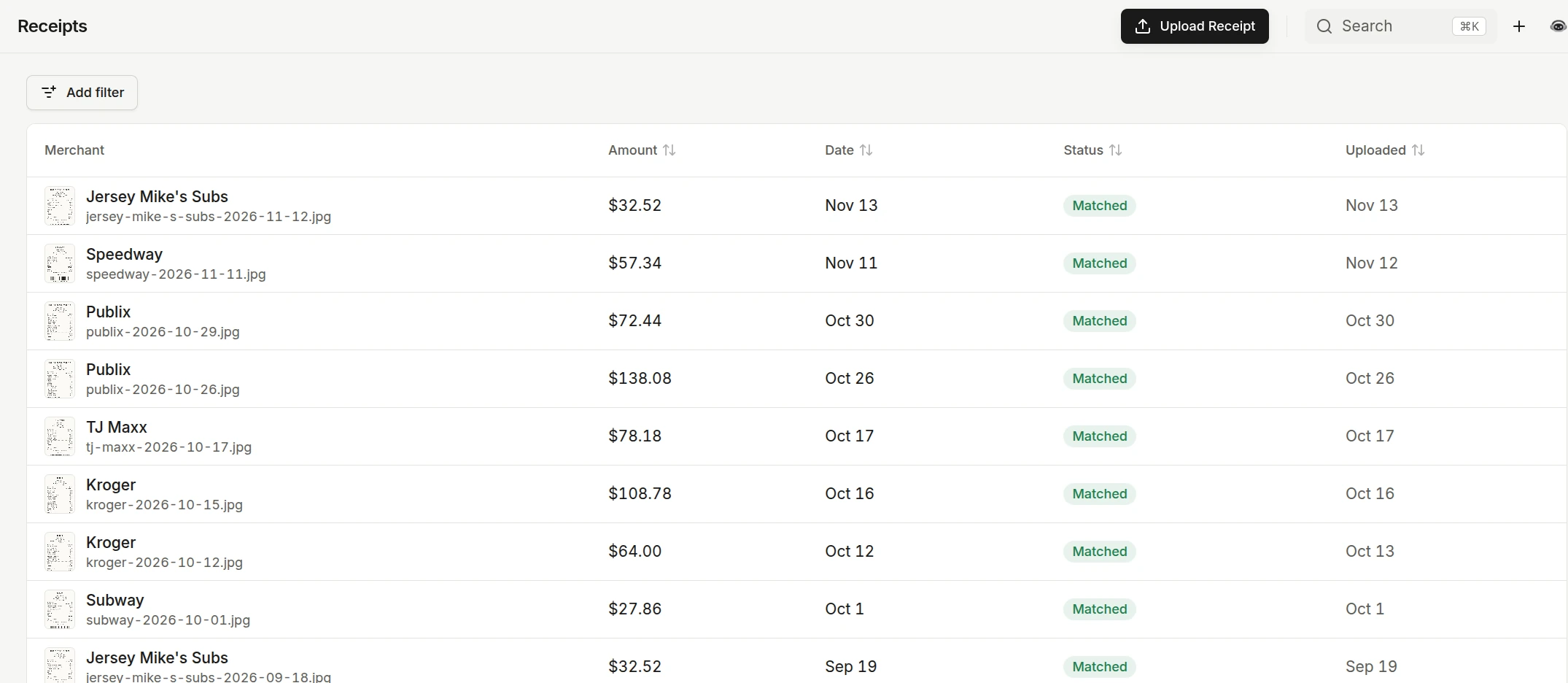
Add a receipt
- On Receipts, choose Upload Receipt and pick an image or PDF.
- On the web app you can drop a receipt anywhere you can upload a file. Copia recognizes it as a receipt, saves it to Receipts, and keeps you on the page you were on.
Copia reads the merchant, date, total, and line items from the receipt.
How matching works
Copia looks for a transaction with the same amount, a date close to the receipt’s, and a matching merchant. Bank descriptions often add processor codes and suffixes, so Copia compares the meaningful words of the merchant name rather than the whole string.
- One clear match. The receipt links to that transaction.
- A tie. When two transactions match equally well, Copia does not guess. The receipt stays pending and suggests both.
- No match yet. The receipt stays pending and says why.
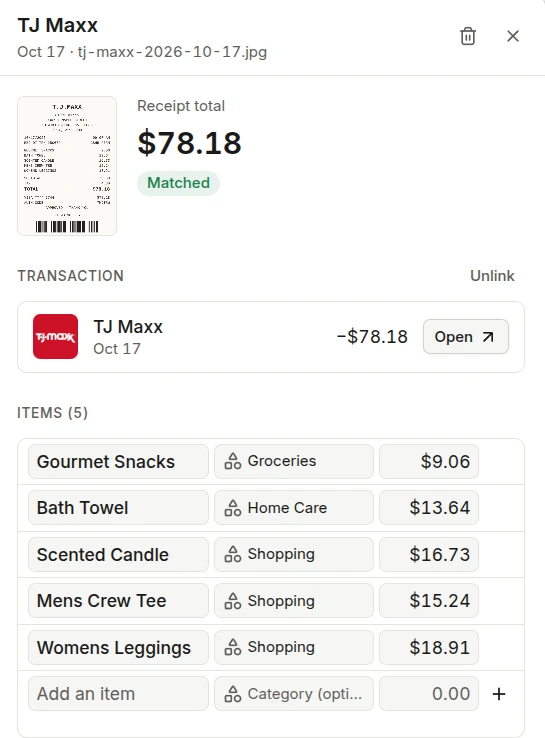
To link one yourself, open the receipt and use the transaction picker. It starts with the best suggestions, and typing searches your transactions by description or amount near the receipt’s date. Unlink on either the receipt or the transaction separates them again.
Splits across categories
Once a receipt is linked, its line items can split the transaction across subcategories.
- Tax and discounts are spread across the items in proportion to their prices.
- Tip and anything left over stay on the transaction’s own category.
- The budget, category history, and insights all count the split amounts.
To change where an item counts, open the receipt and pick a new category for that line.
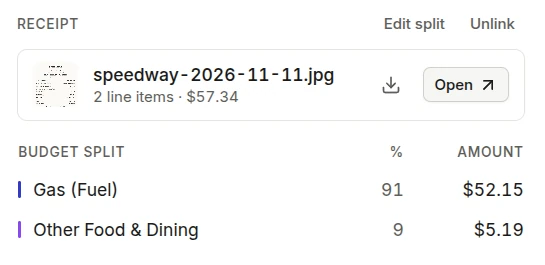
A split transaction shows an N categories chip in the list, and its details show the split grouped by category.
A receipt with no bank transaction
Cash purchases, or a card that is not connected, have no transaction to match. Choose Create transaction on the pending receipt and pick the account. Copia picks the card whose last four digits are on the receipt, if it finds one.
If the bank later posts the same charge, Copia moves the receipt, split, notes, and tags onto the bank’s transaction and removes the one it created, so you never end up with both.
Common questions
Why did Copia not link my receipt automatically?
Either no transaction matched yet, or two transactions matched equally well. Copia never guesses between a tie. The receipt says which case it is, and you can link it from the suggestions or create the transaction.
I created a transaction from a receipt. Will the bank charge duplicate it?
No. When the bank posts the same charge on the same account within 5 days, Copia moves the receipt, its split, and your edits onto the bank transaction and removes the one made from the receipt.
How are tax and tip split?
Tax and discounts are spread across the items in proportion to their prices. Tip and anything left over stay on the transaction’s own category.
Related articles
- Find and categorize transactionsFilter your transactions down to what you need, fix categories one at a time or in bulk, and see the totals for any slice.
- Import transactions from a file or photoBring in transactions from a bank CSV, a PDF statement, or a photo of a statement, with duplicates caught before anything is saved.
- Your monthly budgetPlan what each category gets this month, see what is left as you spend, and carry the plan into next month.