15 releases · November 8 – 15, 2026

What shipped November 8 – 15, 2026

Highlights

  • Ctrl+F on Receipts and Recurring
  • What a high APR costs you yearly
  • Thumbs up or down on Mina's replies
v1.61.1

Pending charges stop counting twice

A round of fixes, led by one we heard about: a card purchase showing up twice while it went from pending to posted. Mobile changes arrive with app version 1.61.1.

Transactions

  • A pending charge now goes away when your bank posts it, so the purchase no longer shows up twice. This includes banks that post the charge a day later as a new transaction.
  • Transactions on the same day now list in the order your bank reported them, newest first, instead of a random order.

Payoff

  • Saving an interest rate or minimum payment no longer changes the account's other details, so bank-linked accounts keep syncing their transactions.

Receipts

  • Receipt thumbnails no longer reload every time you sort or filter the Receipts list.
  • Sorting the Receipts table back and forth no longer crashes the page when a receipt is a PDF.

Mina

  • Insight cards that rank what went up or down now load their trend tab and drill-downs instead of showing "Couldn't load this card".

Improvements

  • Create AI budget now shows a lock on the free plan and opens Billing, instead of failing with a generic error.
  • The menu under your name shows one version number instead of two.
v1.61.0

Search and sort your receipts

Receipts

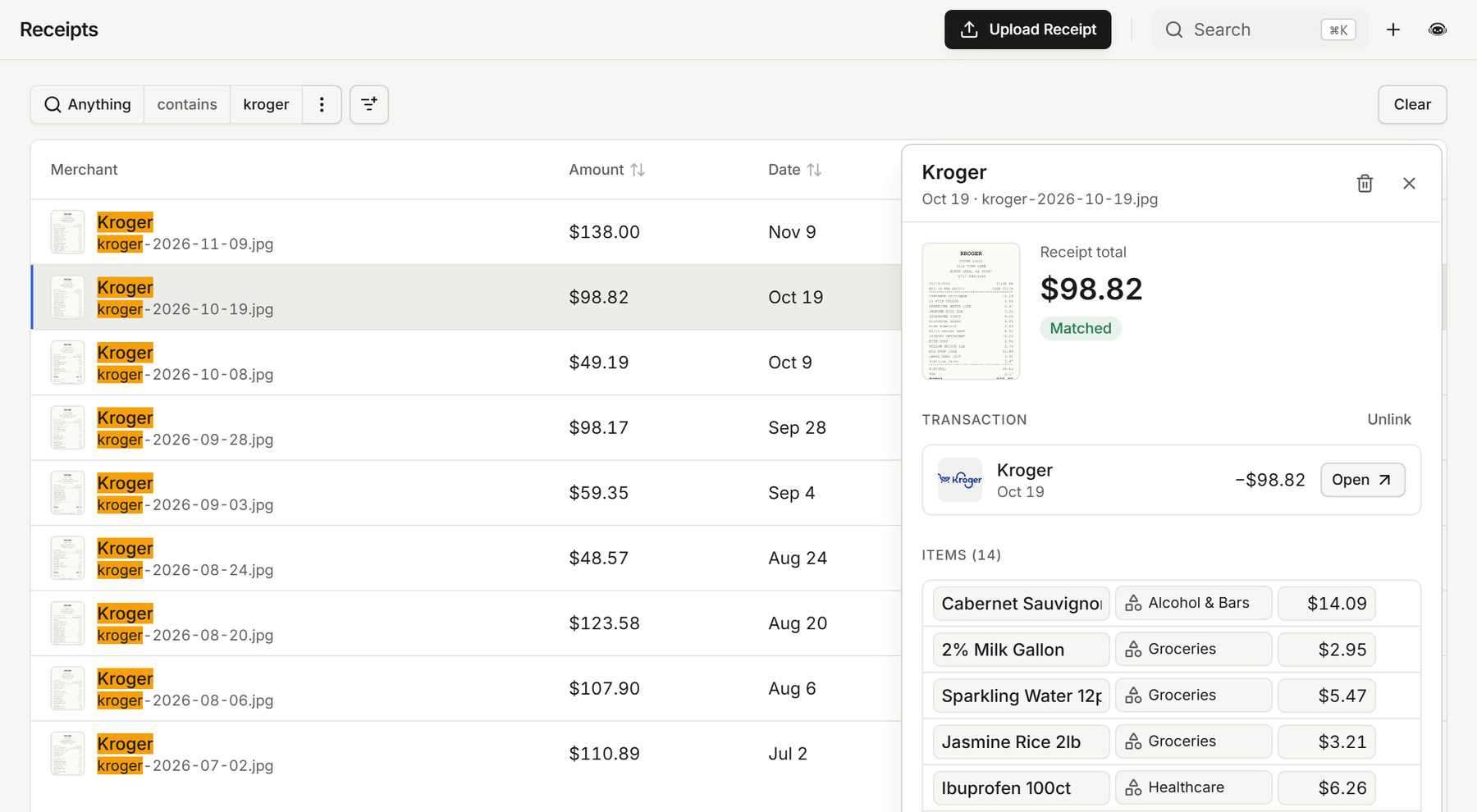
  • Press Ctrl+F to search every receipt at once, by merchant, file name, or amount. Matches are highlighted in the list.
  • Sort receipts by amount, receipt date, status, or upload date, across your whole history.
  • Your filters stay in the page link, so a refresh or a shared link opens the same list. The receipt you have open is marked in the list.
  • A receipt you just uploaded updates on its own when it finishes reading, instead of showing "Processing" until you refresh.
  • Catch-up on the dashboard tells you about receipts that were matched to their transactions while you were away.

The Receipts list searched for "kroger", with every match highlighted, the open receipt marked in the list, and its details beside it

Recurring

  • Ctrl+F searches the Recurring list too, the filters stay in the link, and the open bill or paycheck is marked in the list.
  • Recurring keeps tracking a bill or paycheck when it changes how it shows up on your statement, such as a biller moving from a bank debit to an online payment or an employer moving to a payroll provider.
  • Recurring now refreshes every account nightly, so bills stay current even when nothing new syncs.

Payoff

  • Edit a debt's interest rate right in the Payoff accounts table, just like its minimum payment. This works on the web now and in the mobile app with version 1.61.0.

Mina

  • Following a link in a Mina reply gets the chat out of the way. On your phone the chat closes; on desktop, full screen shrinks to the chat panel.
  • Mina's charts and tables show up more reliably, and questions that combine "and" and "or" conditions get better answers.

Improvements

  • The category filter on Transactions opens in a moment instead of up to a minute, and one slow page no longer holds up the others.
  • Split, receipt, rule, and tag chips on transaction rows fit on one tidy line at any width.
  • Long total labels in Insights no longer spill over the amounts on narrow screens.
  • The text and number filter editors draw their focus outline neatly around the field.
v1.60.0

Mina compares your rates to the national average

Mina

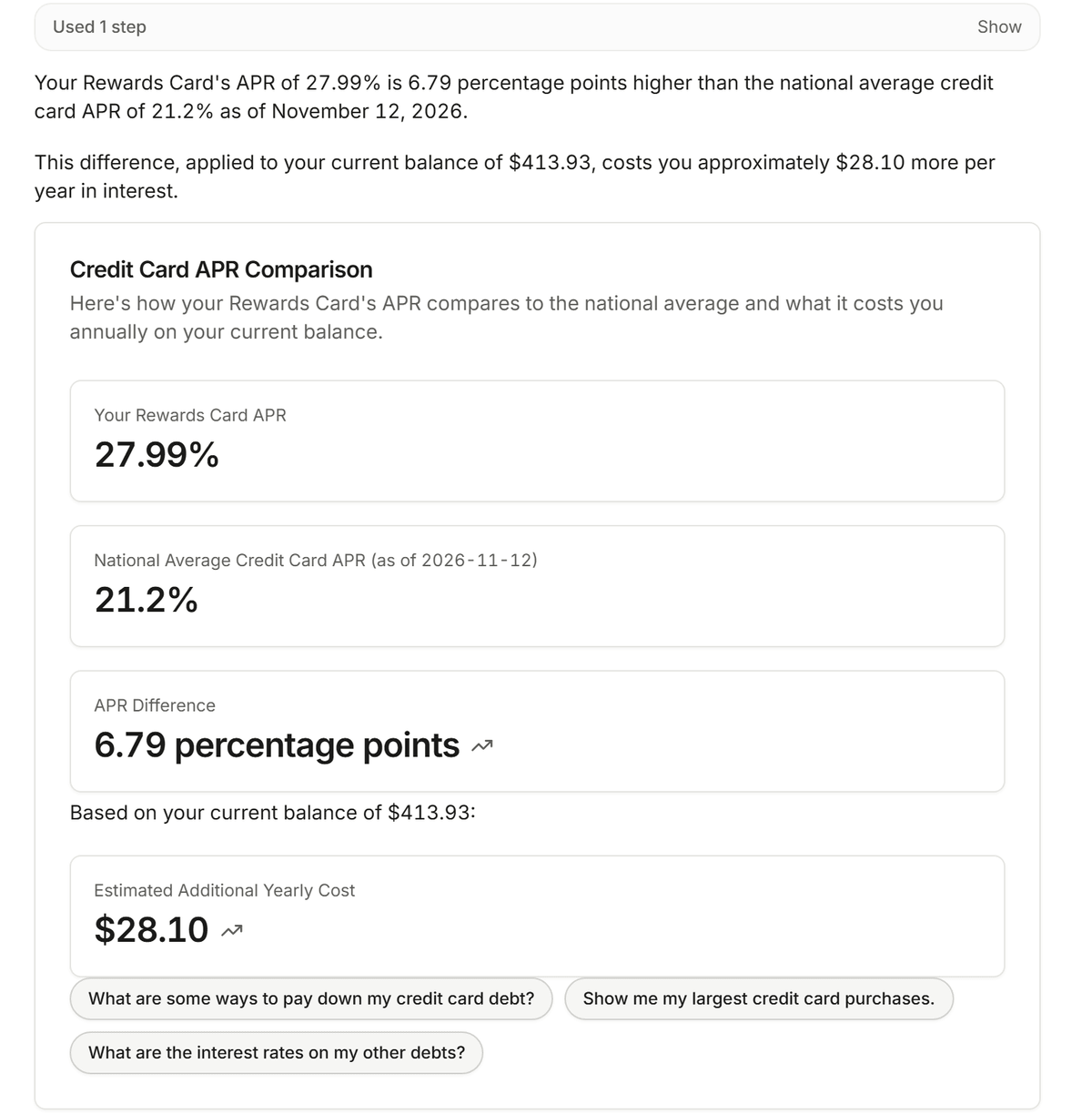
  • Ask Mina whether your mortgage, car loan, or credit card rate is high. It compares your rate with today's national average and works out what the difference costs you each year on your balance.
  • Mina can explain why prices feel higher with current figures for inflation, groceries, gas, and electricity, and compare them with a year ago.
  • These figures come from official sources like the Federal Reserve and the Bureau of Labor Statistics. Mina looks them up on its own and never sends your data to do it.

Mina comparing a Rewards Card APR of 27.99% with the national average of 21.2%, a difference that costs about $28.10 a year on the current balance

Improvements

  • Opening a page right after we ship an update no longer shows an error. Copia reloads once to pick up the new version.
v1.59.0

Rate Mina and ask about today's rates

Mina

  • Every Mina reply has a thumbs up and a thumbs down. A thumbs down takes an optional note, so you can tell us what Mina got wrong.
  • Mina can quote today's top high-yield savings, CD, and credit card offers and turn them into next steps, like how much more your idle cash could earn somewhere else. It looks up rates on its own and never sends your data to do it.
  • Chart and pie cards, including ones pinned to your dashboard, show View transactions inside the card, and pinned chart widgets show their menu so you can remove them.
  • View transactions on a card with a rolling period, like the last 12 months, opens a date filter that keeps rolling instead of fixed start and end dates.

Bank linking

  • If linking a bank fails partway through, you now see an error instead of a link that looks finished but never shows up. Linking that bank again starts fresh.

Your account

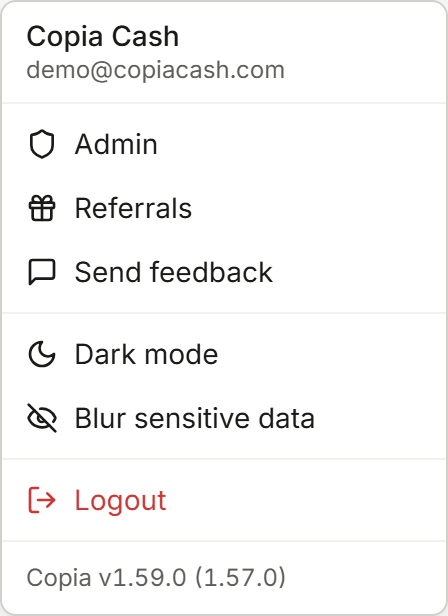
  • The menu under your name shows which version of Copia you're running. Tap it to see what's new in that version.

The menu under the name Copia Cash, ending with the line Copia v1.59.0 (1.57.0)

Website

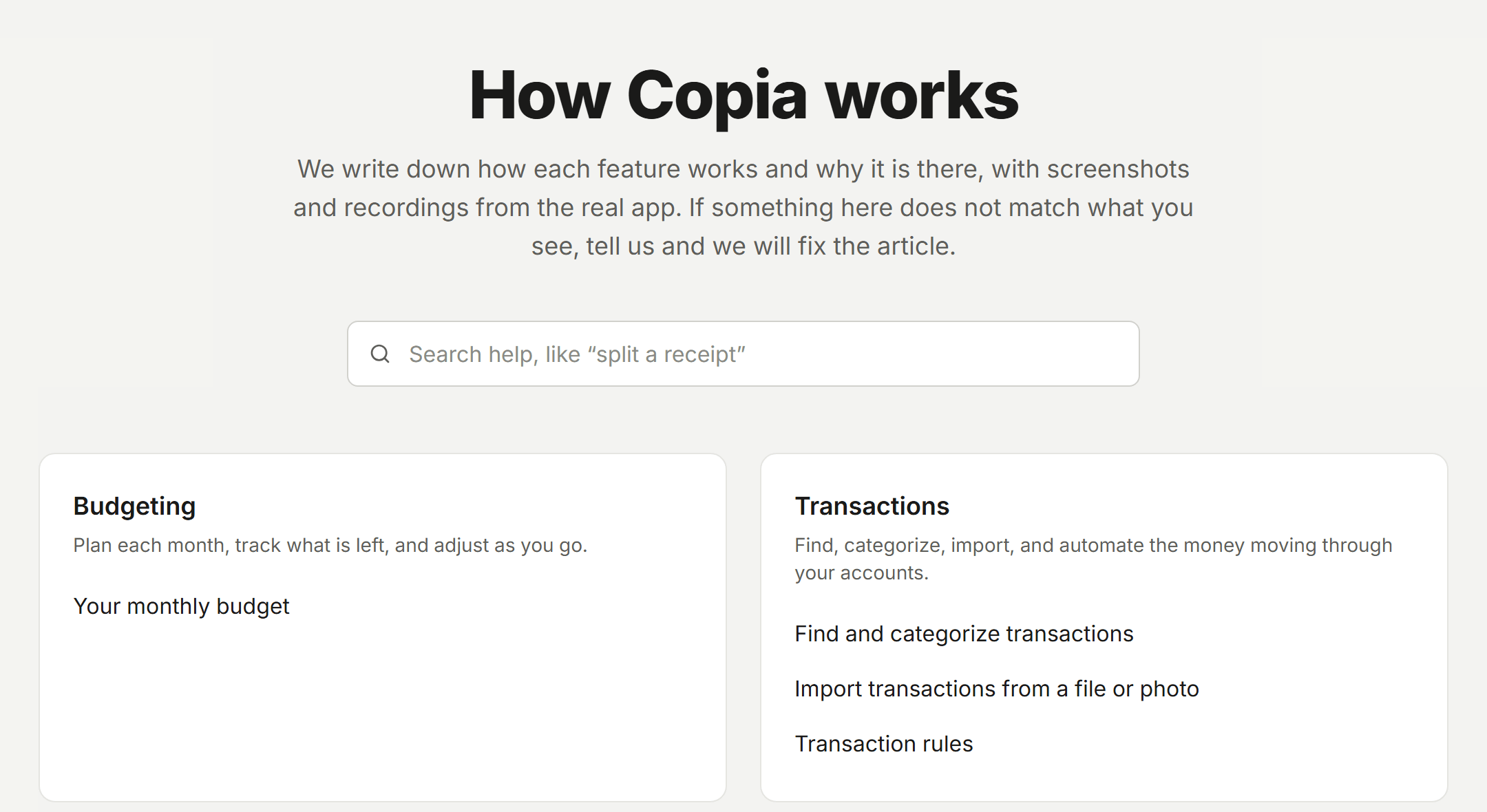
  • The new help center at copiacash.com/help explains how budgeting, transactions, imports, rules, receipts, and the calendar work, with screenshots and recordings from the real app. The FAQ now sits at the bottom of it.
  • The homepage shows every way a receipt gets into Copia (a photo, a forwarded email, or a dropped file) and follows one grocery receipt all the way to your budget.

The help center page titled How Copia works, with a search box and cards for Budgeting and Transactions

iPhone app

  • Rating Mina's replies and the version in your user menu arrive in the iPhone app from version 1.59.0.
v1.58.0

Merge duplicate bank charges in Catch-up

Catch-up

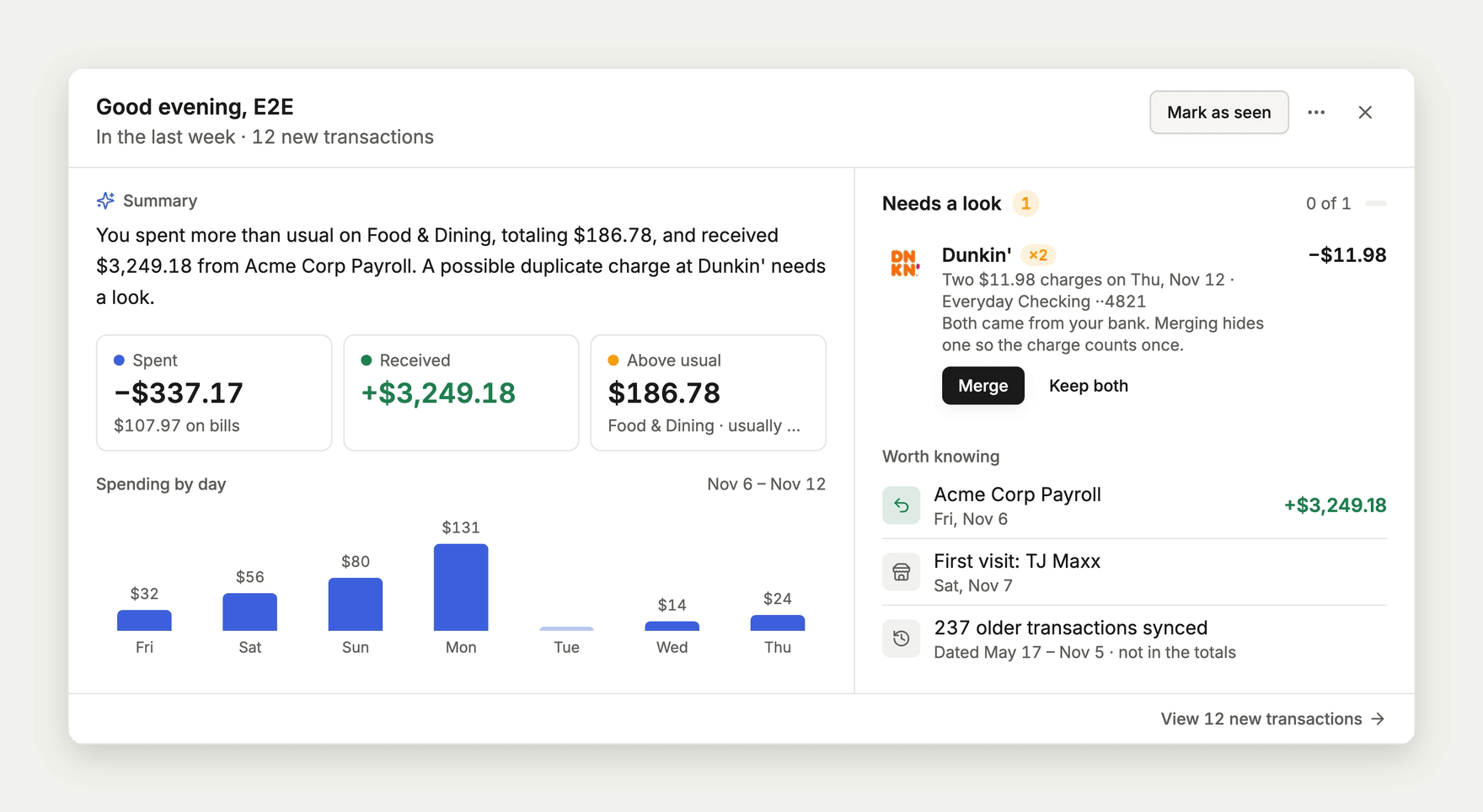
  • When your bank sends the same charge twice, Catch-up offers Merge so the purchase counts once in your lists, totals, and budgets. Undo brings the hidden charge back.
  • A merged charge stays hidden after your bank syncs again.

The Catch-up card on the dashboard with two matching $11.98 Dunkin' charges under Needs a look, and Merge and Keep both buttons

Transactions

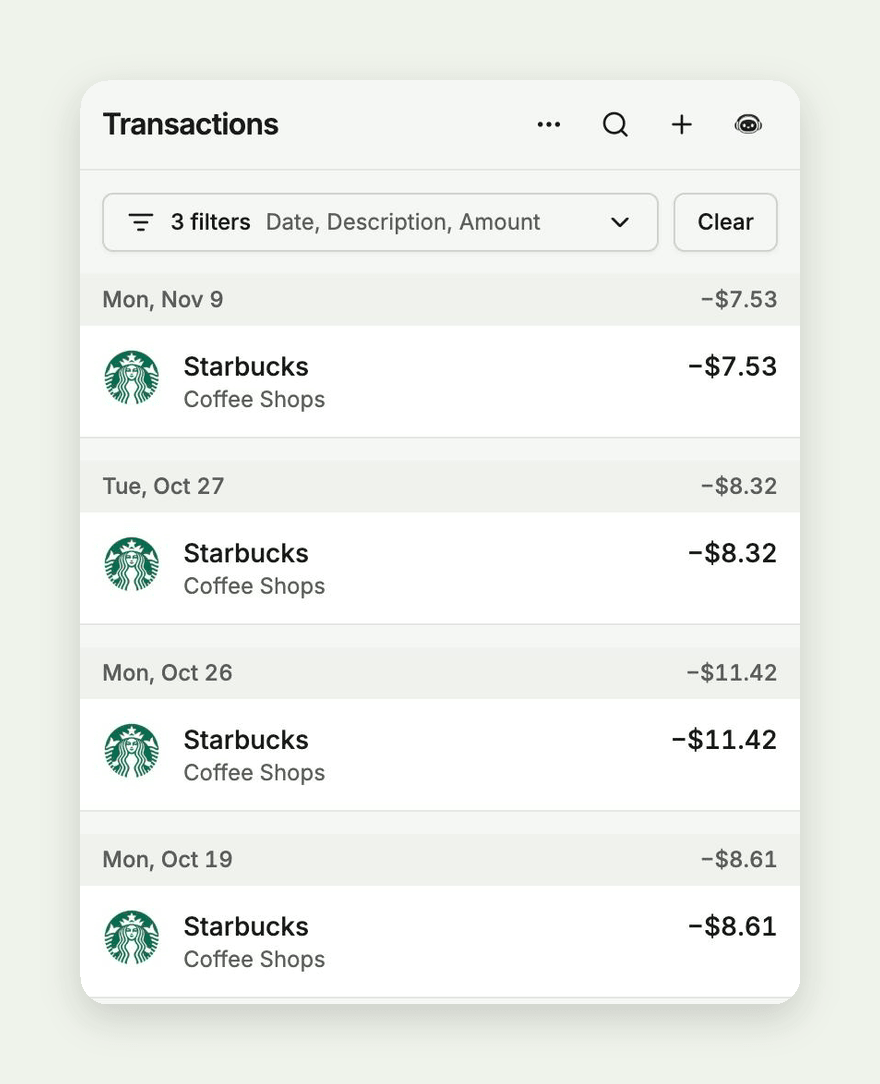
  • On phones, filters you arrive with from a link or from Mina fold into one line, like "3 filters · Date, Description, Amount", so the list stays on screen. Tap the line to open them, or the arrow to fold them back. Receipts and Recurring work the same way.
  • Resetting transactions to their bank data works again, whether you pick specific transactions or reset everything matching a filter.
  • Date range calendars leave space between the two months, so tapping the last day of one month no longer picks a day in the next.

Transactions on a phone with three filters folded into one line reading 3 filters, Date, Description, Amount, above a list of Starbucks purchases

Importing

  • Importing a CSV or bank file no longer stops at the merchant step when you don't have a subscription. Merchants Copia already knows are matched as before, and you pick the rest in review.

Accounts and debt

  • Recording a credit card payment by hand now lowers the card's balance, and your balance history and debt budgets count it as a payment instead of new spending.
  • Editing a linked account's name or debt terms no longer stops it from syncing.
  • Accounts your bank sends without account digits now sync, and renaming a bank keeps its accounts matched to it.

Mina

  • Mina asks which category you mean before offering to add, change, or remove a budget, instead of showing a confirmation that fails when you approve it.

iPhone app

  • Merging duplicate charges and the folded phone filters arrive in the iPhone app from version 1.58.0.
v1.57.1

PDF receipts open on Android

Receipts

  • PDF receipts show their pages on Android phones, in Brave, Chrome, and other browsers, instead of a blank Open button.

Setup

  • Subscribing during setup confirms right away. If your card is declined, you see the reason and can try another card.
  • If confirming takes longer than usual, you see a note instead of a loading screen that never ends.

Recurring

  • Your bills no longer show as ended when a bank connection stops syncing.
  • Your recurring list now updates on its own when Copia gets better at spotting bills, even if nothing new has synced.

iPhone app

  • Signing out takes you to the sign-in screen, even if you created your account in that same session. This arrives in the iPhone app from version 1.57.1.

Security

  • We updated two libraries Copia uses for reading files and secure connections to versions that fix known security issues.
v1.57.0

A dashboard that shows what is coming

A brand new dashboard used to be a wall of empty cards. Now you can see what each one will show before your accounts are connected.

Dashboard

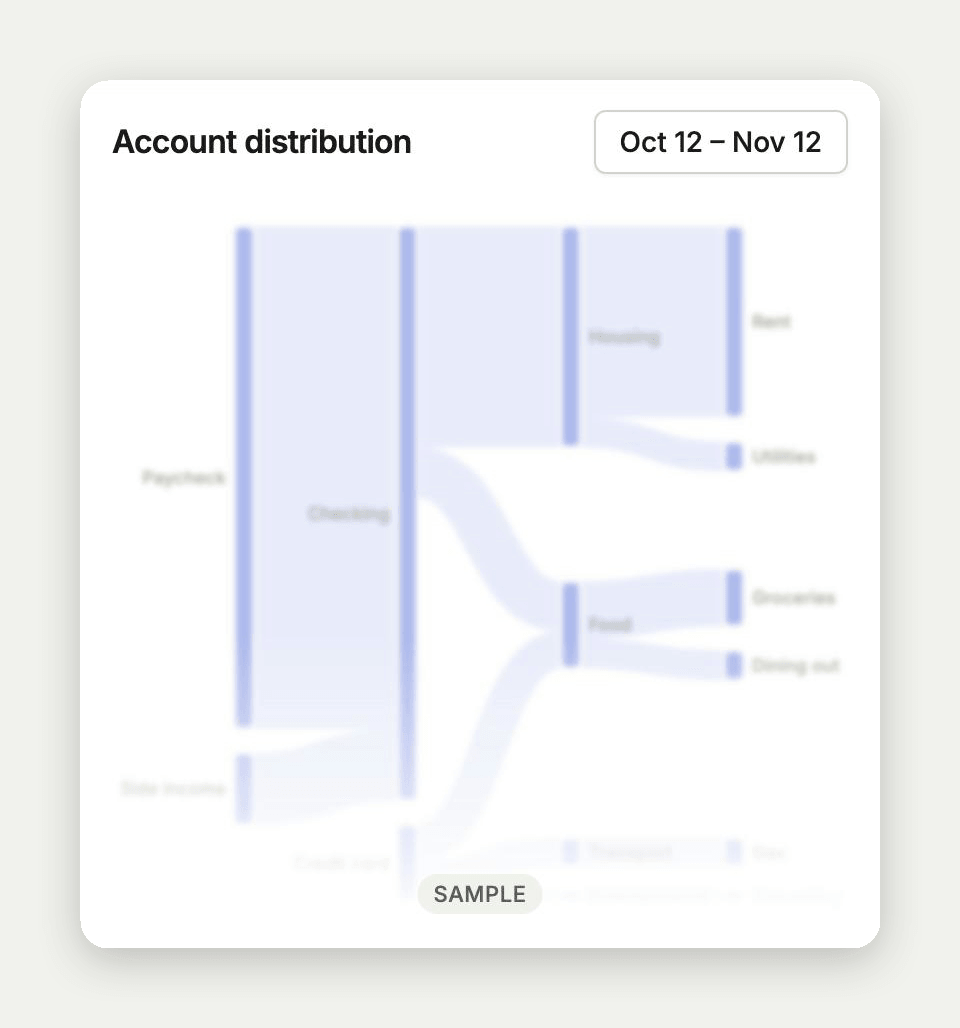
  • Before your first transaction, cards that would be empty show a faded sample of what they will look like, marked Sample. Once your own numbers arrive, the samples go away. This arrives in the iPhone app from version 1.57.0.

The account distribution card on a new dashboard, showing a faded sample chart marked Sample

iPhone app

  • Start a subscription from the app. Billing, setup, and Insights open checkout right in the app.
  • You can sign out from any step of setup.
  • The app no longer closes right after it opens.
  • The app no longer crashes on the setup step where you add your first account.

Signing in

  • New accounts stay signed in right after verifying their email instead of landing back on Sign in.

Recurring

  • Recurring charges load again for accounts whose bank listed a transaction Copia hadn't synced yet.
  • When something goes wrong on our side, Copia shows a short error message instead of technical details.

Website

  • The change log now goes back to Copia 1.0, with an entry for every early release.
v1.56.0

Transaction dates match your bank

Some transactions were showing up a day early or a day late, depending on where you looked. They now stay on your bank's day everywhere in Copia.

Transactions

  • Transaction dates match what your bank or card reports. Date filters, Insights, Catch-up, budgets, and the date editor no longer move a transaction to the day before or after.
  • Importing a photo of your bank statement keeps deposits, like Zelle payments you received, as money in. They now match the transactions your bank already synced instead of showing up as new spending.

Recurring

  • Recurring finds a bill even when the same merchant also charges you nearby amounts, like two AT&T bills a few dollars apart or a membership with add-on visits.
  • Each recurring payment shows the merchant's logo.

Mobile app

  • The dashboard chart sits closer to your balances. This arrives in the app from version 1.56.0.

Privacy

  • Product analytics no longer record transaction details from the labels on rows and tiles.
  • The privacy policy explains how receipts are handled.

Website

  • Open the change log for one day or a span of days, like copiacash.com/changelog/2026-11-05..2026-11-10. A link that finds nothing points you to the nearest releases.
v1.55.0

Copia works with your AI assistant

You can now bring your Copia budget into the AI assistant you already use. Ask it what you spent, have it adjust a category, and it works from your real numbers.

AI assistants

  • Connect Claude, ChatGPT, Cursor, or any assistant that supports MCP connectors by adding https://api.copiacash.com/api/mcp as a custom connector, then signing in with your Copia account.
  • Once connected, ask about your spending by category, merchant, or month, or ask for the transactions that match, like everything from Amazon last month.
  • Your assistant can review, add, and change budgets for you. It shows you each change first and only saves it once you say yes.
  • Connecting needs an active Copia subscription.

Receipts

  • Receipts whose savings are already reflected in the item prices, like Uber Eats emails, no longer leave those savings as an unassigned "tip" in the budget split.

Dashboard

  • The newest month's label on the Income & Spending Activity chart is no longer cut off.

Website

  • The change log lists every release by its version number, and each release has its own page with its own link preview.
  • A link like copiacash.com/changelog/v1.50.0..v1.54.2 shows several releases on one page.
v1.54.1

Totals that match everywhere

Later the same day, this release brought the rest of the totals in line and smoothed out a lot of small things on phones.

Transactions

  • Totals on the Transactions and Calendar pages no longer count credit card payments or transfers between your accounts, and refunds now come off a merchant's total, so the numbers match Insights.
  • Merchant names no longer get squeezed when a transaction has tags.

Dashboard

  • The Income and Spending Activity widget no longer keeps growing taller on phones.
  • Chart amounts are shorter and easier to read, like -$5K.
  • Budget progress bars no longer get cut off.

Phones

  • Recurring and receipt lists read like the rest of Copia: merchant names instead of bank codes or file names, short dates like Oct 20, and income in green.

Improvements

  • Most pages in the app load faster the first time you open them.

Website

  • The homepage loads much faster. The demo at the top is now a small video instead of a large animated image.
  • Pages on phones no longer have extra padding at the sides.
v1.54.0

Mina answers with live cards

Mina got a lot better at answering questions about your money this time, and we fixed a few numbers that were not lining up.

Mina

  • When you ask about your spending, Mina now answers with live cards, tables, and charts that use your real numbers and link straight to the transactions behind them.
  • You can ask for comparisons, like this month against last month or the same month last year, and break spending down by category, account, merchant, or day of the week.
  • Your accounts and categories keep their usual colors in Mina's charts and tables.
  • The chat has a cleaner look and shows how much of your AI allowance you have left. Refreshing the page keeps you where you were.

Transactions

  • Transactions from the same day now show in the order they happened, using the time your bank reports.

Insights

  • The Merchants total now matches Spending on the Net income tab. Before, a merchant whose refunds outweighed its purchases for the month was left out, which pushed the total too high.

Dashboard

  • The account balance total is now labeled net balance, since it adds up your linked accounts and subtracts what you owe.
  • On phones in the browser, press and hold opens the menu on transactions and calendar days, and you can hold a day and drag to select a range on the activity chart.
  • Chart popups on phones now open below your tap and stay on the screen.

Website

  • The homepage demo and product screenshots are updated to show more of what the dashboard, Budget, Transactions, and Calendar can do.
v1.53.0

Referrals for everyone, and Mina gets her name

A small one today. Referrals are open to everyone, and the assistant you chat with in Copia now goes by Mina.

Referrals

  • Every account now has a Referrals page with your own share link. When a friend you invite pays for Copia, you get a free month on your plan.
  • Find it under Referrals in the side menu on the web, or in Settings in the iPhone app.

Mina

  • Copia's AI chat bot is now called Mina, in the app and across the website.

Website

  • The feature comparison table now includes accounts and net worth, receipt splits, and the command palette, and each one has its own page.
v1.52.1

Tidier chart popovers

Dashboard

  • Pinned popovers on the dashboard charts no longer spill past the edge of the card, and their links to transactions and accounts now look and behave the same on every chart.
v1.52.0

Dashboard charts link to your transactions

Dashboard

  • Dashboard charts now open into the rest of the app. On the Income and Spending chart, a day's popover links to that day in Transactions, and dragging across several days with a mouse pins a summary of that range: spending, income, net, daily average, and your biggest day.
  • Click a node or flow on the account flow chart, or a day on the account balance chart, to pin a popover with the numbers behind it and links to those transactions and accounts. The iPhone app has the same links.

Transactions

  • Some bank transactions were showing up twice and being counted twice in your totals. We fixed the cause so new ones stop appearing, and we are cleaning up the existing copies without losing your tags, rules, or recurring links.

Improvements

  • A link to a budget subcategory now highlights that row and scrolls it into view.
  • Merchant logos from your bank now come through more reliably.

Website

  • The feature comparison table now lists the debt payoff planner.
  • Every page on the website now shows a preview image when you share its link.

See every release

What shipped November 8 – 15, 2026 - Change log | Copia