v1.61.0Released
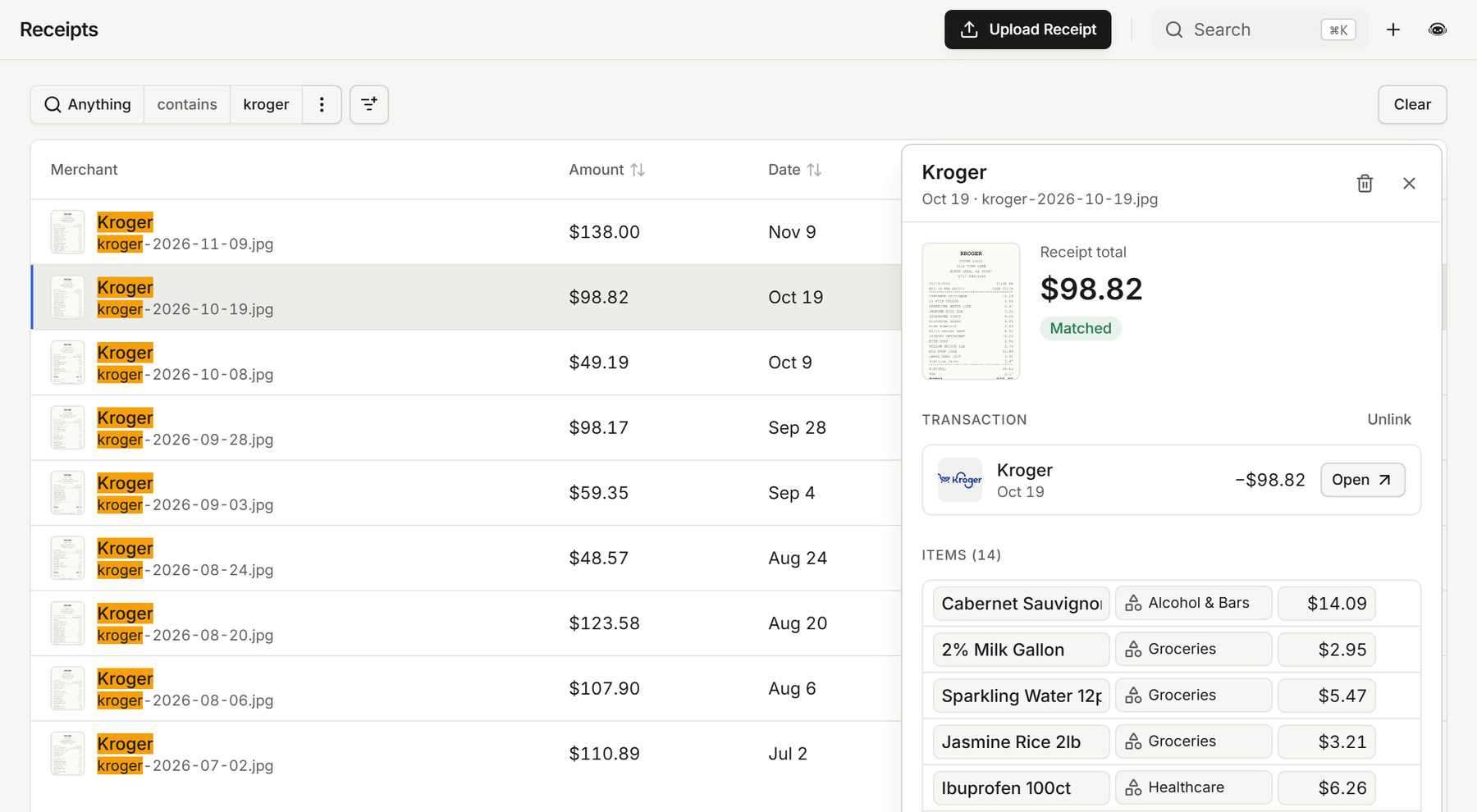
Search and sort your receipts
Press Ctrl+F to search your Receipts and Recurring lists, sort receipts by amount, date, or status, and keep your filters when you share or refresh the page. Payoff now lets you edit a debt's interest rate right in the table.
Receipts
- Press Ctrl+F to search every receipt at once, by merchant, file name, or amount. Matches are highlighted in the list.
- Sort receipts by amount, receipt date, status, or upload date, across your whole history.
- Your filters stay in the page link, so a refresh or a shared link opens the same list. The receipt you have open is marked in the list.
- A receipt you just uploaded updates on its own when it finishes reading, instead of showing "Processing" until you refresh.
- Catch-up on the dashboard tells you about receipts that were matched to their transactions while you were away.
Recurring
- Ctrl+F searches the Recurring list too, the filters stay in the link, and the open bill or paycheck is marked in the list.
- Recurring keeps tracking a bill or paycheck when it changes how it shows up on your statement, such as a biller moving from a bank debit to an online payment or an employer moving to a payroll provider.
- Recurring now refreshes every account nightly, so bills stay current even when nothing new syncs.
Payoff
- Edit a debt's interest rate right in the Payoff accounts table, just like its minimum payment. This works on the web now and in the mobile app with version 1.61.0.
Mina
- Following a link in a Mina reply gets the chat out of the way. On your phone the chat closes; on desktop, full screen shrinks to the chat panel.
- Mina's charts and tables show up more reliably, and questions that combine "and" and "or" conditions get better answers.
Improvements
- The category filter on Transactions opens in a moment instead of up to a minute, and one slow page no longer holds up the others.
- Split, receipt, rule, and tag chips on transaction rows fit on one tidy line at any width.
- Long total labels in Insights no longer spill over the amounts on narrow screens.
- The text and number filter editors draw their focus outline neatly around the field.