v1.58.0Released
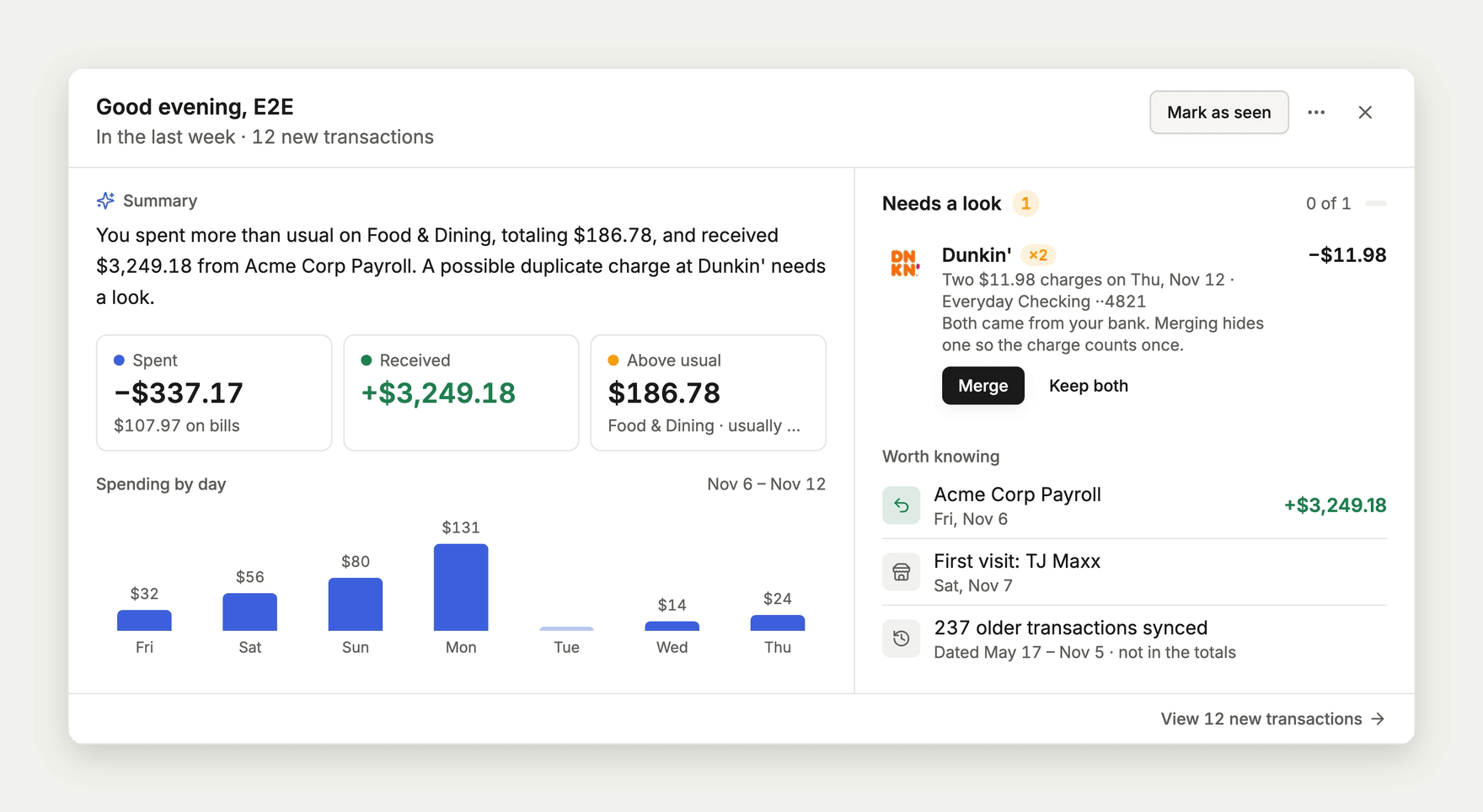
Merge duplicate bank charges in Catch-up
When your bank sends the same purchase twice, Catch-up can now merge the two so it counts once. On phones, filters from a link or Mina fold into one line so the list stays on screen.
Catch-up
- When your bank sends the same charge twice, Catch-up offers Merge so the purchase counts once in your lists, totals, and budgets. Undo brings the hidden charge back.
- A merged charge stays hidden after your bank syncs again.
Transactions
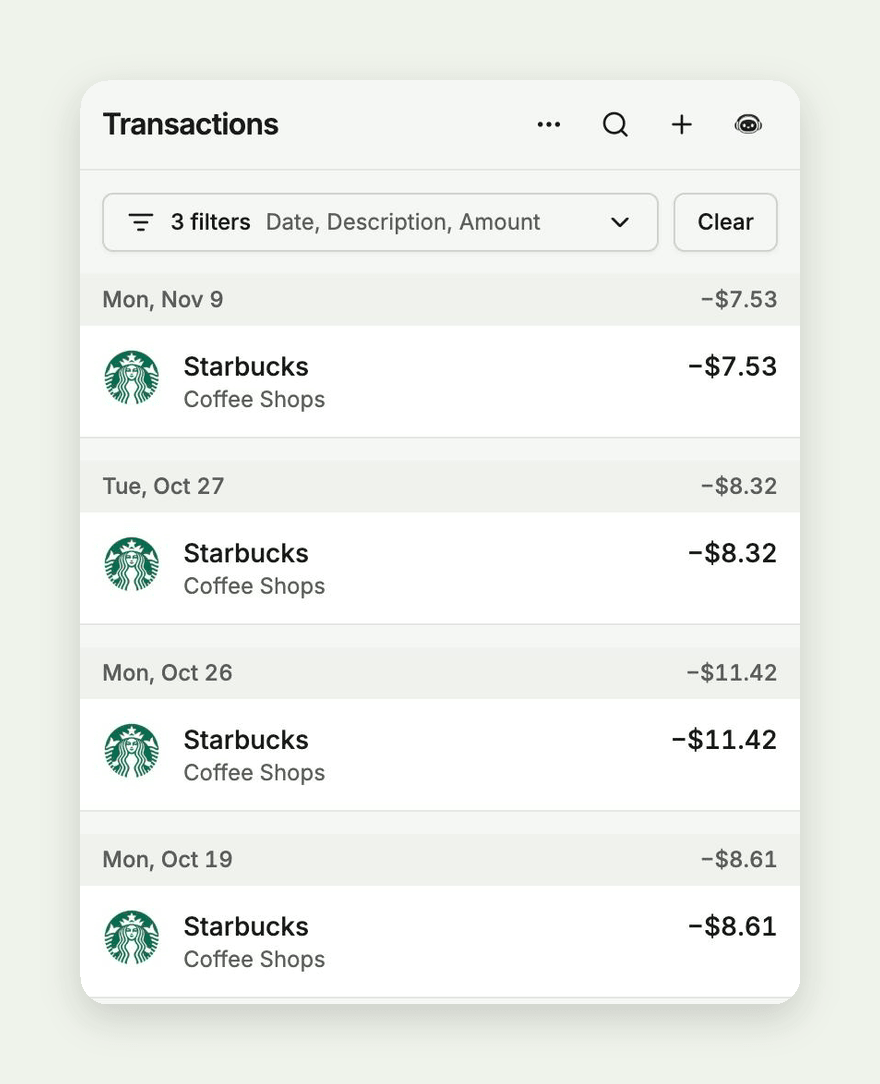
- On phones, filters you arrive with from a link or from Mina fold into one line, like "3 filters · Date, Description, Amount", so the list stays on screen. Tap the line to open them, or the arrow to fold them back. Receipts and Recurring work the same way.
- Resetting transactions to their bank data works again, whether you pick specific transactions or reset everything matching a filter.
- Date range calendars leave space between the two months, so tapping the last day of one month no longer picks a day in the next.
Importing
- Importing a CSV or bank file no longer stops at the merchant step when you don't have a subscription. Merchants Copia already knows are matched as before, and you pick the rest in review.
Accounts and debt
- Recording a credit card payment by hand now lowers the card's balance, and your balance history and debt budgets count it as a payment instead of new spending.
- Editing a linked account's name or debt terms no longer stops it from syncing.
- Accounts your bank sends without account digits now sync, and renaming a bank keeps its accounts matched to it.
Mina
- Mina asks which category you mean before offering to add, change, or remove a budget, instead of showing a confirmation that fails when you approve it.
iPhone app
- Merging duplicate charges and the folded phone filters arrive in the iPhone app from version 1.58.0.