Custom categories
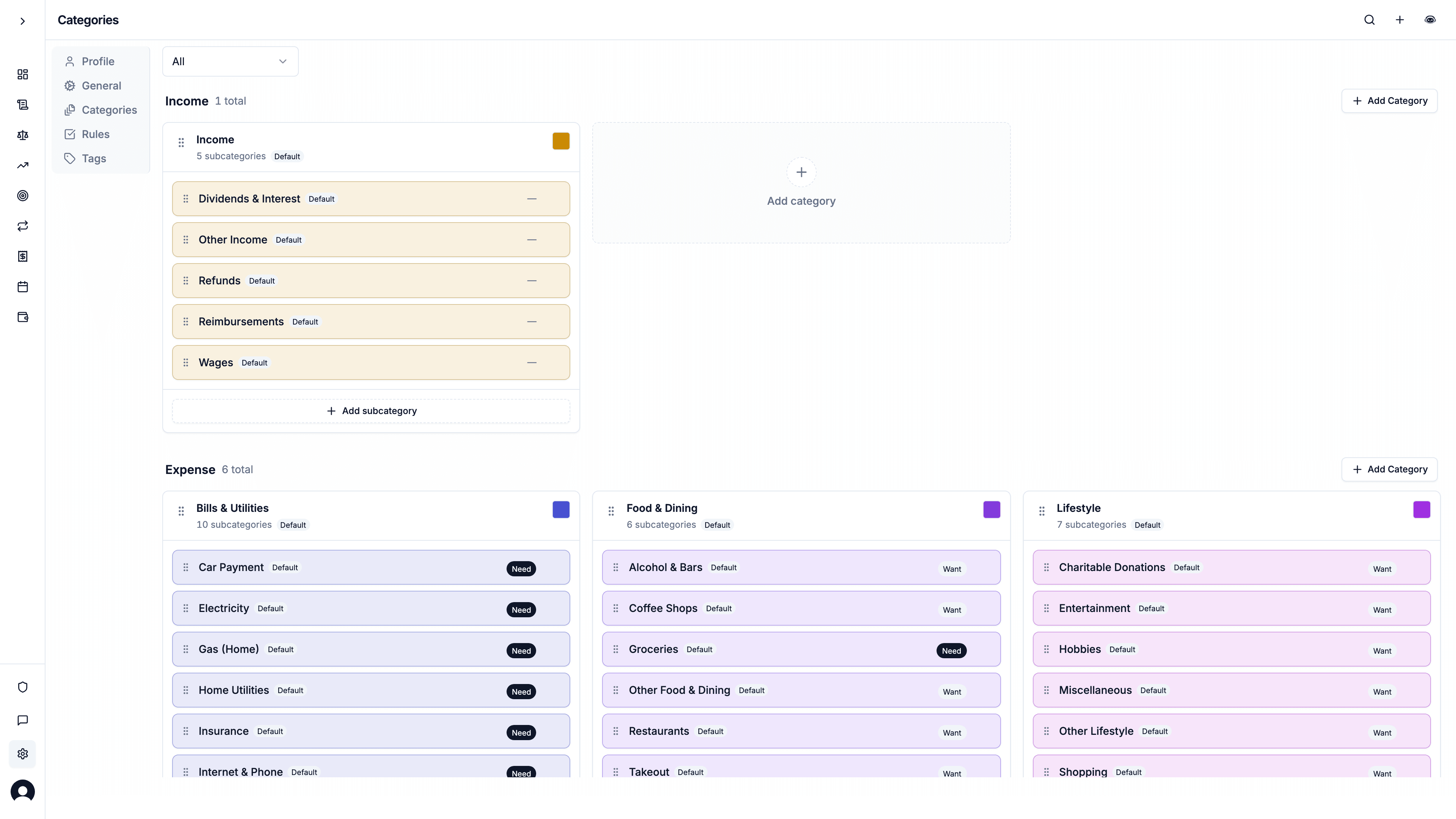
Unlimited categories and subcategories. Drag to reorder, classify spending as need or want, and reassign transactions when you delete a group.
1 min read
The Problem
Preset categories never match how you spend. "Food" is not the same as groceries versus coffee versus takeout. If an app caps custom categories, you end up stuffing everything into Other.
What it is
Copia ships with a default category tree, and you can add, rename, reorder, and delete as many categories and subcategories as you want. Drag a subcategory into another group. Filter to defaults versus ones you created.
Expense subcategories can be marked Need, Want, or Savings & debt for the optional 50/30/20 view on the dashboard. If you delete a category that still has transactions, Copia asks where those rows should go (another subcategory, Copia defaults, or auto-categorize on the paid plan).
Manage this from Settings → Categories, or from Manage categories on the budget page.
Why it matters
The budget only works if the labels match your life. Unlimited categories are included on free and paid. Rocket Money's free budgeting caps you at two custom categories.